 Skipper
Document
•All boatersDigital vs. Paper Sailing Logbook
Compare digital and paper sailing logbooks, from GPS tracking and trip history to reliability and ease of use. Find the right format for your sailing and discover Skipper for iPhone.
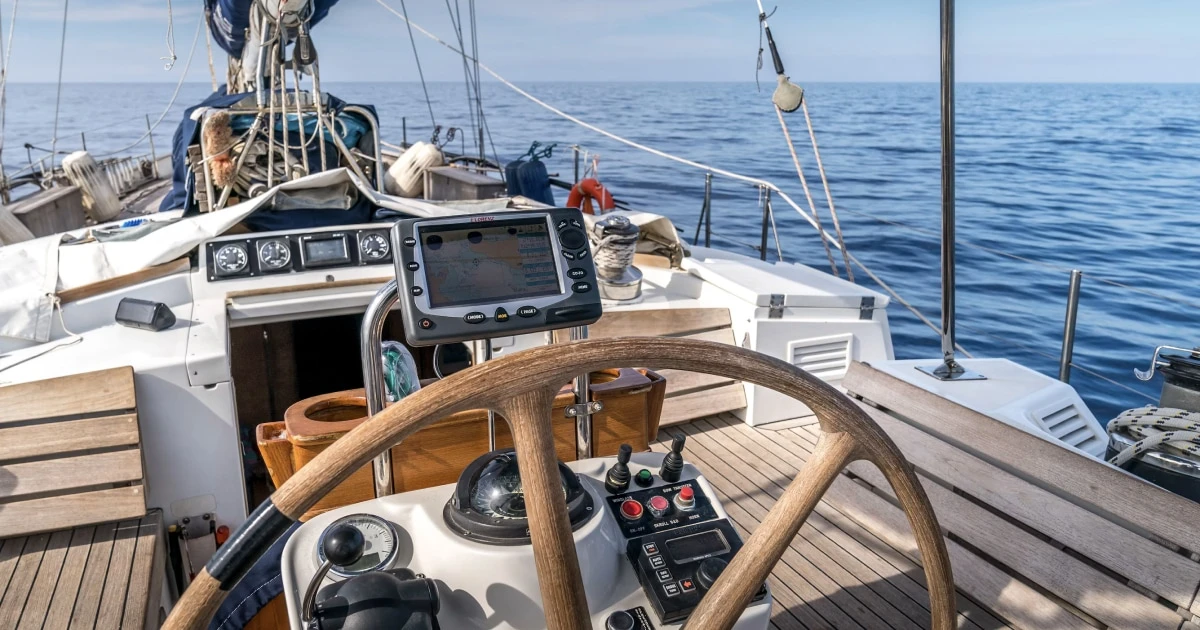
Digital vs. Paper Sailing Logbook: Which Is Best?
A sailing logbook helps you remember where you sailed, what conditions you encountered, and what happened along the way. But should you keep it on paper or use a digital sailing logbook on your phone?
Both formats have advantages. A traditional logbook offers a simple physical record that works without a powered device. A digital logbook can make it easier to organize trips, review routes, and keep notes and photos together.
The right choice depends on how you sail, what you want to record, and how you plan to use that information later.
If you’re looking for a practical way to keep track of your sailing trips on iPhone, Skipper is a digital sailing logbook that records GPS tracks, routes, distance, duration, and speed, with the option to add details about each trip.
Let’s compare the two approaches.
1. Digital vs. paper sailing logbook: quick comparison
| Feature | Paper logbook | Digital logbook |
|---|---|---|
| Record entries by hand | Yes | Depends on the app and interface |
| Works without a powered device | Yes | Depends on the device and app |
| Record GPS tracks | Must be recorded or added separately | Available in apps that support GPS tracking |
| Review routes on a map | Requires a chart, drawing, or separate record | Available in apps that support route maps |
| Keep notes and observations | Yes | Yes, if supported |
| Attach photos to a trip | Physical photos or printed copies | Available in apps that support photos |
| Organize multiple trips | Manual filing or indexing | Often easier to organize and revisit |
| Review trip statistics | Requires manual calculations or separate tools | Available in apps that calculate statistics |
| Search historical records | Usually manual | May be easier, depending on the app |
| Depend on battery and electronics | No | Yes, for access and recording on the device |
| Physical damage risk | Paper can get wet, torn, or lost | Devices can be damaged, lost, or run out of power |
| Long-term preservation | Requires physical storage and care | Depends on export, backup, and data access options |
The important distinction is not simply old versus new. It’s whether you prefer a handwritten record or a digital system that can combine different types of information.
Also, not every digital logbook has the same capabilities. GPS tracking, map views, photo attachments, exports, and statistics depend on the specific app.
2. Why choose a paper sailing logbook?
A paper logbook remains a practical choice for many sailors. It is straightforward, independent of electronic systems, and allows you to record observations in your own words.
It works without a powered device
You can open a paper logbook whenever you need to write something down, without worrying about your phone’s battery or whether an app is available.
This can be particularly useful when electronics are unavailable or when you want a separate written record.
It encourages deliberate observations
Writing by hand can encourage you to pause and reflect on the conditions, navigation decisions, and events of the day.
You can sketch a route, draw a manoeuvre, or add a diagram alongside your notes without being limited by a predefined interface.
It is easy to personalize
A paper logbook can contain anything you find useful: weather observations, handwritten notes, sketches, memorable moments, or detailed accounts of a passage.
You decide how each page is organized.
It provides a physical record
Some sailors enjoy looking back through a collection of logbooks from previous seasons. Handwriting, annotations, and sketches can give the record a personal character that is difficult to reproduce exactly in a digital format.
The limitations of paper
Paper also comes with practical drawbacks:
- You must record navigation data manually or copy it from other instruments.
- Reviewing a route may require separate charts or calculations.
- Comparing distances, speeds, or trip durations takes additional work.
- Finding a particular trip can be slow if your records are not indexed.
- Notes and photographs may end up in different places.
- Paper can be damaged by water, humidity, or poor storage.
For occasional sailing, these limitations may be perfectly acceptable. If you sail frequently and want to review your trips over time, they can become more noticeable.
3. Why choose a digital sailing logbook?
A digital sailing logbook can make trip recording more convenient by bringing different types of information together.
Instead of keeping handwritten notes in one place, GPS records somewhere else, and photos on your phone, a suitable app can help you build a more organized history of your sailing.
Record GPS tracks and trip statistics
Depending on the app, a digital logbook can record your route and calculate information such as distance, duration, and speed.
That means you can review the trip afterward without having to reconstruct every detail from memory or calculate everything manually.
With Skipper, you can record GPS tracks and review routes, distance, duration, and speed for your sailing trips.
Keep trip information together
A sailing trip involves more than navigation data. You may also want to remember who was on board, what the weather was like, where you stopped, and what happened during the day.
Skipper lets you add details such as crew, weather, locations, notes, and photos to your sailing records.
This creates a richer account of a trip than a route or a list of numbers alone.
Revisit your sailing history
After a season of sailing, you may want to remember a particular anchorage, find a trip you enjoyed, or compare different outings.
A digital record makes it easier to revisit your trip history, maps, and statistics without manually searching through a stack of notebooks.
Your logbook becomes a record you can learn from, not just something you fill in and put away.
Spend less time reconstructing trips
One of the main advantages of digital recording is reducing the amount of information you need to write down manually.
When an app records supported GPS data, you can spend more time adding context: why you chose a route, how the conditions changed, or what made the trip memorable.
You should still check that the information recorded is accurate and add observations that cannot be inferred from GPS data alone.
Keep records in a format you can revisit
Digital records can be easier to organize and share, depending on the app’s available features.
Skipper supports GPX import and export, which is useful when working with GPS track files. GPX is a common format for exchanging route and track data, although it does not necessarily contain every detail of a complete sailing logbook.
The limitations of digital logbooks
Digital recording is not automatically better in every situation.
- Your phone depends on battery power.
- Electronic devices can be damaged or lost.
- App capabilities differ, so you need to check what is actually recorded.
- Data preservation depends on the app’s storage, export, and backup options.
- GPS data does not replace observations, judgement, or proper navigation practices.
- A personal digital logbook does not automatically satisfy official record-keeping requirements.
A digital logbook should complement good sailing habits, not replace them.
4. What information can each format record?
Both paper and digital logbooks can document the same basic information. The difference is often how easily you capture, organize, and review it.
| Information | Paper logbook | Digital logbook |
|---|---|---|
| Date and time | Handwritten | Entered or recorded, depending on the app |
| Crew | Handwritten | Can be added in apps that support crew records |
| Weather observations | Handwritten | Can be entered in apps that support weather details |
| Route and position | Manually recorded or copied from instruments | GPS tracks and route records in supporting apps |
| Distance and duration | Calculated or copied from instruments | Can be calculated from recorded trip data |
| Speed | Copied from instruments | Can be recorded or calculated, depending on the app |
| Locations and stops | Written in the log | Can be added in apps that support locations |
| Notes and observations | Handwritten | Entered as digital notes |
| Photos | Printed or stored separately | Attached to trips in apps that support photos |
| Trip statistics | Calculated manually | Available in apps that provide statistics |
This comparison is about general capabilities, not a guarantee that every app records every field.
For example, GPS can help reconstruct where a boat travelled, but it cannot reliably tell you why you changed course, whether a sail was reefed, or what the crew observed. Those details still need to be recorded when they matter.
5. Is a digital sailing logbook reliable enough?
Reliability depends on what you need the logbook to do and how you manage the record.
A digital logbook can be useful for documenting recreational trips, reviewing navigation history, and preserving notes and photos. But a phone is still an electronic device, and GPS-derived information has limitations.
GPS accuracy is not absolute
GPS positions and derived measurements can be affected by reception, device performance, and other conditions.
Treat recorded data as a useful record, not as a guarantee of perfect accuracy. For navigation, use appropriate marine navigation equipment and procedures.
A phone is not a substitute for essential navigation equipment
Do not rely solely on a phone or personal logbook app for safe navigation. Keep the navigation tools, charts, safety equipment, and backup arrangements appropriate to your vessel and voyage.
A logbook records and helps you review a trip; it is not a substitute for watchkeeping, navigation planning, or seamanship.
Plan for battery and device failure
Before leaving, consider how you will access essential information if your phone runs out of power or becomes unavailable.
Depending on the trip, sensible precautions may include:
- Keeping essential navigation information available independently of your phone.
- Carrying suitable charging equipment.
- Maintaining a paper record of critical information where appropriate.
- Preserving important records through available export or backup options.
Do not assume that an app works offline or that all data is automatically backed up. Check the actual behaviour of the app you use.
Understand official requirements
Some vessels and voyages are subject to specific logbook or record-keeping obligations. A digital format is not automatically accepted for every official purpose.
Check the requirements that apply to your vessel, flag state, voyage, and circumstances before relying on a personal logbook as an official record.
6. Can you use both paper and digital logbooks?
Yes. You do not have to choose one format exclusively.
A hybrid approach can combine the convenience of digital trip records with the independence of paper.
For example, you could:
- Use a digital logbook to record GPS tracks, routes, distance, and duration.
- Add notes about weather, crew, locations, decisions, and memorable events.
- Keep a paper record for essential information or for situations where a physical record is useful.
- Export or otherwise preserve important digital records when the app supports it.
- Review your records after the trip to add details that are still fresh in your memory.
The key is to avoid creating unnecessary duplicate work. Decide what belongs in each record and keep the process simple enough to maintain consistently.
For a recreational sailor, a digital logbook with a practical backup plan may be enough. For a vessel subject to formal record-keeping requirements, the required procedures take priority.
7. How to choose the right sailing logbook
Before choosing a format or app, consider what you want from your logbook.
Choose paper if you…
- Prefer handwriting and sketches.
- Want a record that works without a powered device.
- Sail occasionally and have relatively simple record-keeping needs.
- Enjoy keeping a physical archive of your sailing experiences.
- Do not need automatic GPS recording or trip statistics.
Choose a digital logbook if you…
- Sail regularly and want to organize multiple trips.
- Want to review routes and GPS tracks.
- Prefer having distance, duration, and speed available in your trip history.
- Want to add notes and photos alongside your sailing records.
- Want to revisit maps and statistics from previous outings.
- Prefer a searchable, structured record over handwritten pages.
Choose a combination if you…
- Want digital trip history but also value a physical record.
- Need a backup for important information.
- Sail in situations where electronic devices may not always be available.
- Have record-keeping obligations that require specific procedures or formats.
The best choice is the one that fits your sailing habits, your need for detail, and the way you expect to use your records.
8. Keep your sailing logbook on iPhone with Skipper
If you want the advantages of digital recording without building your own spreadsheet or manually reconstructing every trip, Skipper is designed for keeping a sailing logbook on iPhone.
With Skipper, you can:
- Record your sailing trips: Keep GPS tracks and review routes, distance, duration, and speed.
- Add context to each trip: Record details such as crew, weather, locations, notes, and photos.
- Review your history: Revisit previous trips, maps, and statistics.
- Work with GPX files: Import and export supported GPS track data.
The point is not to replace every aspect of a traditional logbook. It’s to make it easier to maintain a useful record of your sailing and revisit it later.
Instead of letting your GPS tracks, photos, and memories remain scattered across different places, you can build a more organized history of your trips.
Ready to keep a record of your sailing? Explore Skipper and start building your digital sailing logbook on iPhone.
Frequently asked questions
Is a digital or paper sailing logbook better?
A digital logbook is convenient for organizing trips, reviewing GPS tracks, and keeping notes and photos together. Paper works without a powered device and provides a physical record. The better choice depends on your sailing habits and record-keeping needs.
Can a sailing logbook app record GPS tracks?
Some sailing logbook apps can record GPS tracks and trip statistics. Check the features of the specific app. Skipper supports GPS tracks, routes, distance, duration, and speed for sailing trips.
Should I keep a paper backup of my digital sailing logbook?
A paper backup or another accessible copy can be useful for important information. Consider how you will access essential records if your phone is unavailable, loses power, or cannot access the data you need.
Can a digital sailing logbook replace an official ship’s log?
Not automatically. Official record-keeping requirements depend on the vessel, flag state, voyage, and applicable regulations. Verify that your chosen system and procedures meet the requirements that apply to you.
What is a good digital sailing logbook for iPhone?
Look for an app that fits your sailing routine and supports the records you need. Skipper lets you record sailing trips with GPS tracks, routes, distance, duration, and speed, and add details such as crew, weather, locations, notes, and photos.
The verdict: choose the format you’ll actually use
A paper sailing logbook is simple, independent of electronics, and ideal for sailors who enjoy writing by hand. A digital sailing logbook makes it easier to organize trips, review GPS tracks, and keep notes and photos together.
You can also combine the two, using digital records for convenience and paper for selected information or backup.
If you want to build a consistent history of your sailing trips on iPhone, Skipper offers a practical way to record your routes and trip statistics while adding the details that make each outing worth remembering.
Start with the information that matters to you, keep your entries consistent, and make recording your trips part of your sailing routine.
Remember your days at sea
Skipper is a ship’s log app for sailboats and powerboats, available on iPhone and iPad. It records every trip with GPS and keeps your whole sailing history in one searchable logbook. Free for your first three trips.

Keep reading

How to Keep a Sailing Logbook
Learn how to keep a sailing logbook with a simple routine, practical entries and tips for recording every trip consistently.
All boaters
Sailing Logbook Examples
Explore practical sailing logbook examples for day sails, longer passages, changing weather, and incidents. Learn what to record and how to structure your entries.
All boaters
Sailing Logbook Template
Use this sailing logbook template to record boat trips, navigation, weather, crew, and important events. Includes a practical format for day sails and longer passages.
All boaters